
Budget reports to email or export 📊
Budgets help you organize and track how incentive funds are spent across studies, teams, and individuals. You can get three types of reports:
- Receive scheduled budget email reports to any email address (legal, accounting, etc) 📧
- Export transaction reports for deeper analysis 📊
- Quickly review spending and activity inside each budget
Here's how to get each type of report:
1. Receive budget reports by email 📧
If you want regular updates on budget spending, you can schedule email reports. These reports send a snapshot of budget activity directly to your inbox.
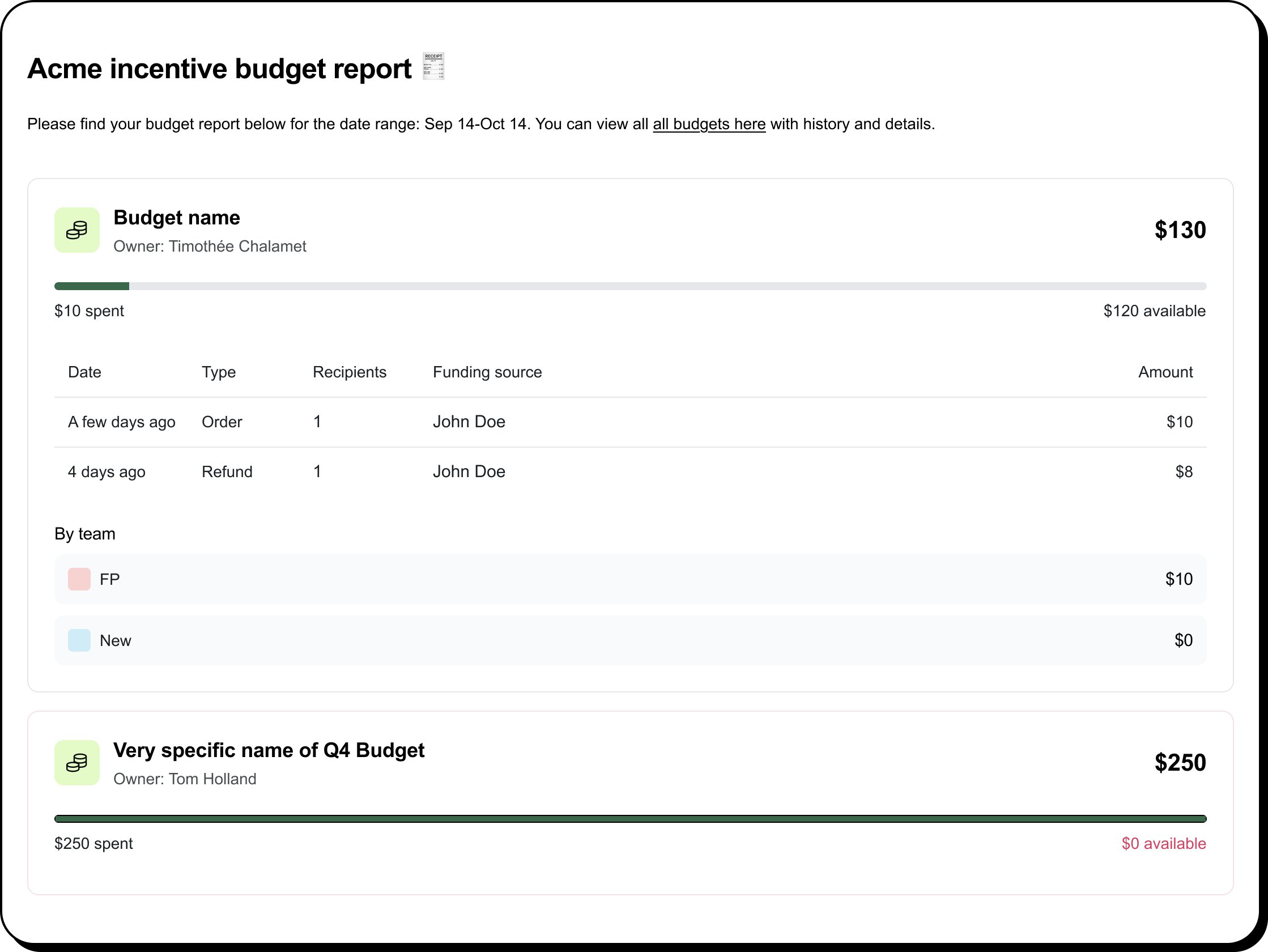
To create a budget email report:
- Go to Reports › Emails
- Click Create email report
- Select Budget email report
Select the following items
- Recipients
- Which budgets to include
-
Frequency (daily, weekly, or monthly)
Click Save. That's it! You can also click Send report now to send a report immediately.
These email reports are useful for:
• Keeping stakeholders that don't have access to Ethnio informed
• Monitoring spending over time
• Sharing updates with finance or research teams
2. Export budget transactions (CSV or XLSX) 📊
If you need a detailed report for analysis, you can export budget activity from two places:
- Incentives › transaction history and filter by budget
- Incentives › activity and filter by budget
You can then export reports as CSV or XLSX. Exports include transaction details such as:
- Budget used
- Date
- Order ID
- Recipients
- Fees
- Study
- Team or team member
3. Quickly review spending across budgets 👀
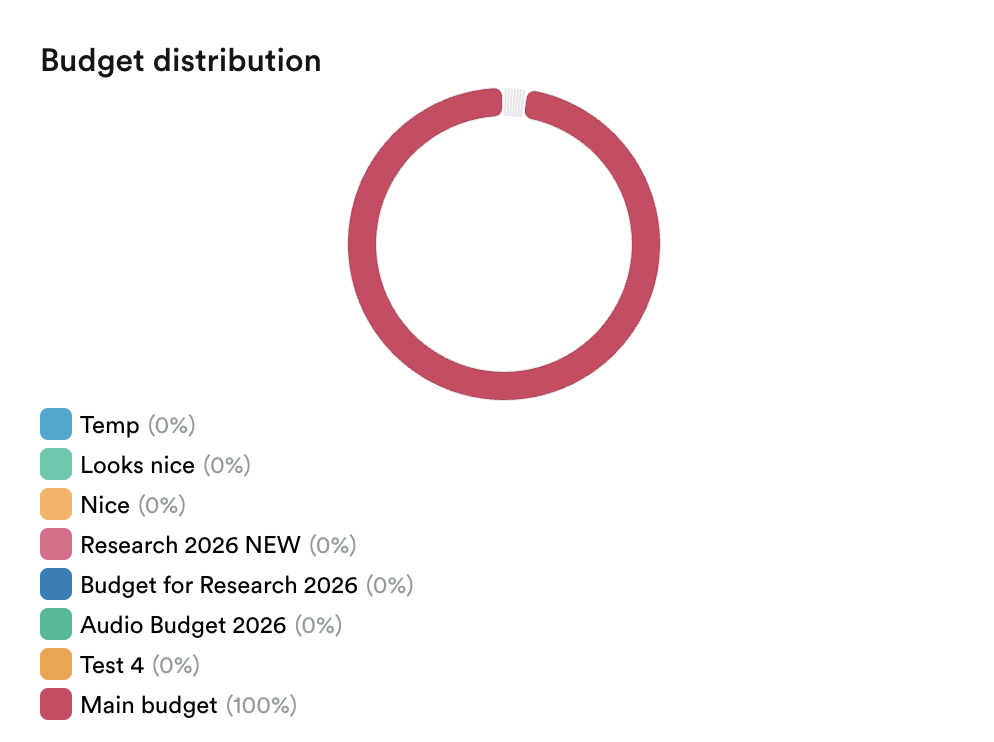
For a quick overview of how funds are distributed, you can use the Budgets dashboard or click an individual budget. This can show you distribution and recent spending on any individual budget.
When to use each option
| If you want to… | Use this |
|---|---|
| Get regular updates automatically | Email reports 📧 |
| Analyze transactions in detail | Export from Transaction history 📊 |
| Monitor spending quickly | Budgets dashboard 💰 |
| Review activity for a specific budget | Open the individual budget |